
Computer Group
The computer group is open to any u3a member and caters for all levels of ability. It does not matter whether your computer uses Linux, Apple Mac OS X or Windows. The intention is to develop computer skills generally, without favouring any particular computer system.
| Status: | Active, open to new members |
| Leader: |
Mary Jones
Tel: 01122 334455
|
| When: | Fortnightly on Monday afternoons |
| Venue: | YorkOne |

Computer Group News
-
Introduction to Spreadsheets
Starting in 2024
For this topic we’ll be looking at how to use spreadsheets for things like
- basic calculations
- producing graphs and charts
- storing and sorting records
- finance and accounting purposes
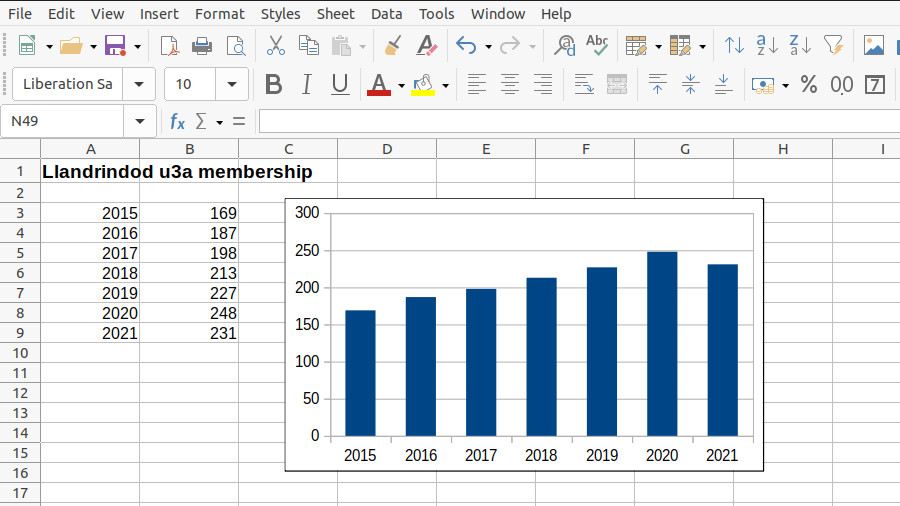
The spreadsheet software that will be used in the sessions will be LibreOffice Calc, which is a component of the freely available LibreOffice Suite which is available for computers running Linux, MacOS or Windows. However the principles will be the same for any other spreadsheet software such as Excel or Google Sheets.
If you would like to join the group for this topic please contact the group leader. You do not need to have previously come to the computer group meetings. You are also welcome if you are a member of another u3a (in which case please say so when contacting the group leader).
-
Internet and Email Safety
Starting November 2023

For this topic we’ll be considering the various types of risk that you can be exposed to when you browse websites or handle email. We’ll cover things like anti-virus products; blocking advertising; what “cookies” are and if you should worry about them; personal privacy issues and “identity theft”; “scam” and “phishing” emails; bogus websites; “malware”, “ransomeware” and other threats which we all want to avoid.
Please contact the group leader if you would like to join the group or suggest a topic. You do not need to have previously attended computer group meetings as the group is open to any u3a member.
Page
info
The area between the menu at the top of the page and the blue page footer can contain anything you want in the way of content.
This sample group page starts with an Cover block cintaining a Columns block. The left column is left empty. The right column contains an introductory paragraph of text followed by the "u3a single group data" Block which shows any information that was provided in the Group Information panel in the editor.
The "u3a events list" block shows where any events for this group will be shown. It is also set in the right-hand column of a Columns block.
The "Query Loop" under the heading 'Computer Group News' shows the content of up to 3 recent Posts in the category 'computer' in date order (recent posts first).